✨ NEW · AI Quick Add now on iOS & Android

Your Schedule,
Your Way.

Type events like you'd say them — AI Quick Add fills in the title, time, and even repeat rules in 25 languages. Plus 13 view modes, drag-and-drop scheduling, smart reminders, and home widgets — all syncing with your existing Google Calendar, Outlook, and other accounts.

13
View Modes
28+
Languages
iOS+Android
Native Apps
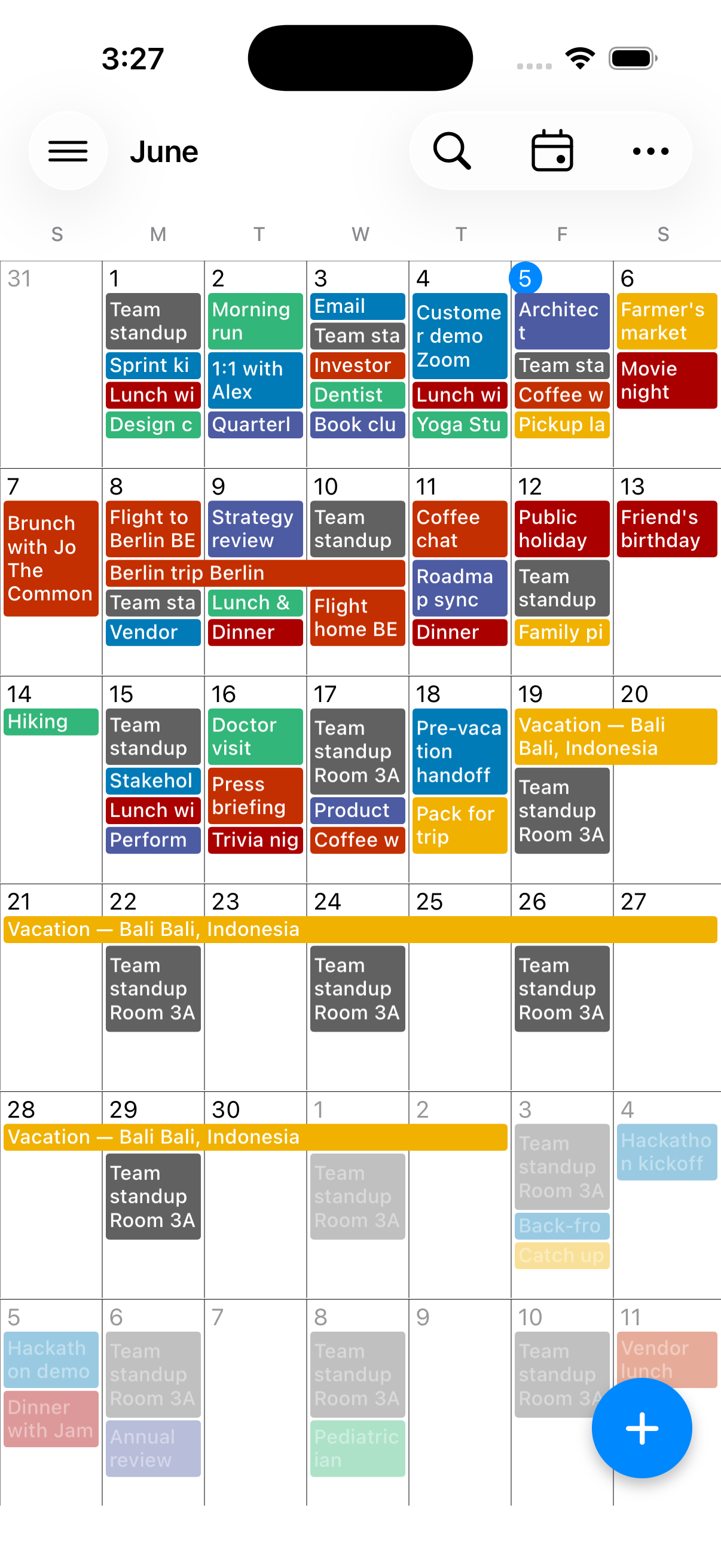
Calendar+ 2 month view — May 2026 with colored events
Everything You Need
to Stay Organized
Calendar+ 2 packs powerful scheduling tools into a beautiful, intuitive interface designed for your daily life.
📅

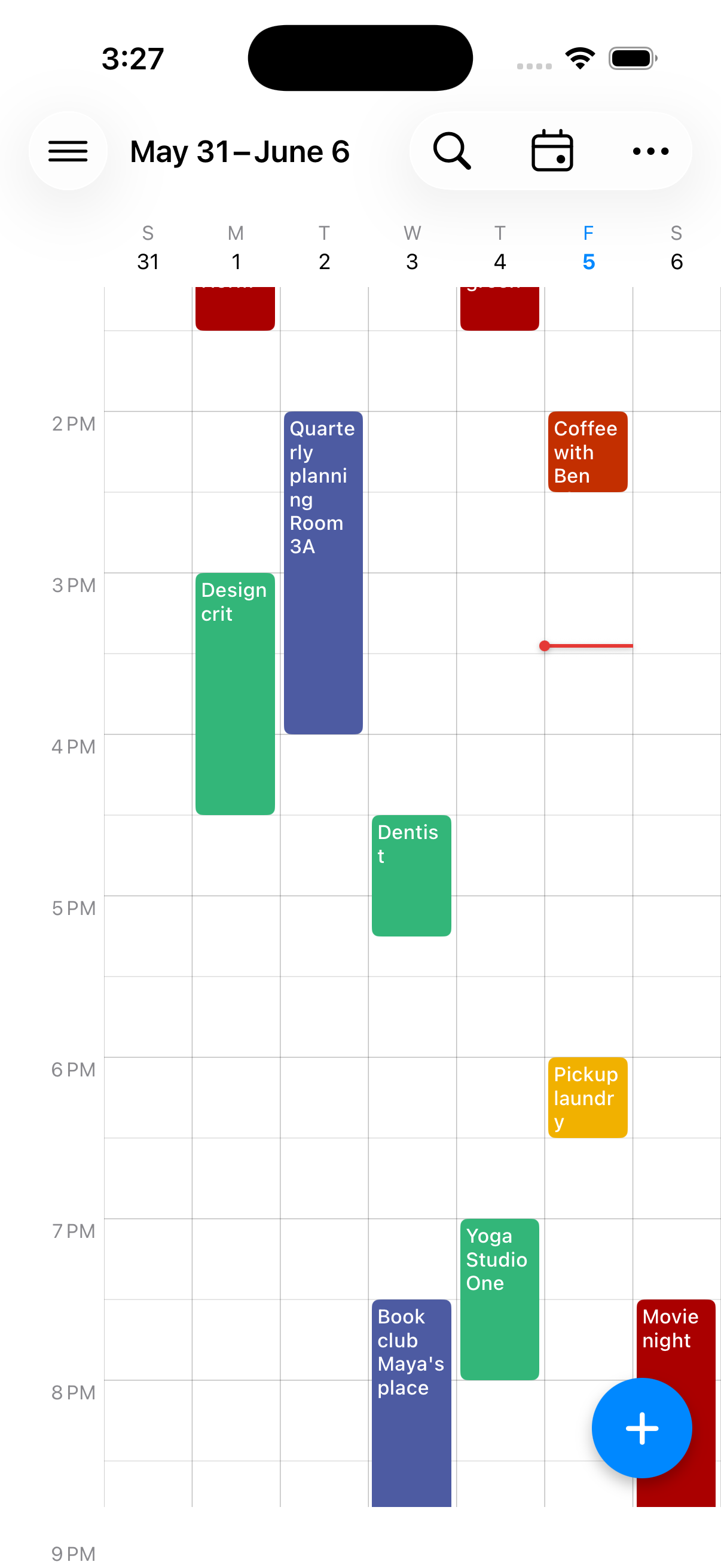
Multiple Views

13 view modes: Day, Week, Month, and Agenda — plus custom layouts with 2-7 days or 2-4 weeks. Pinch to zoom hours, swipe to navigate.

🖼️

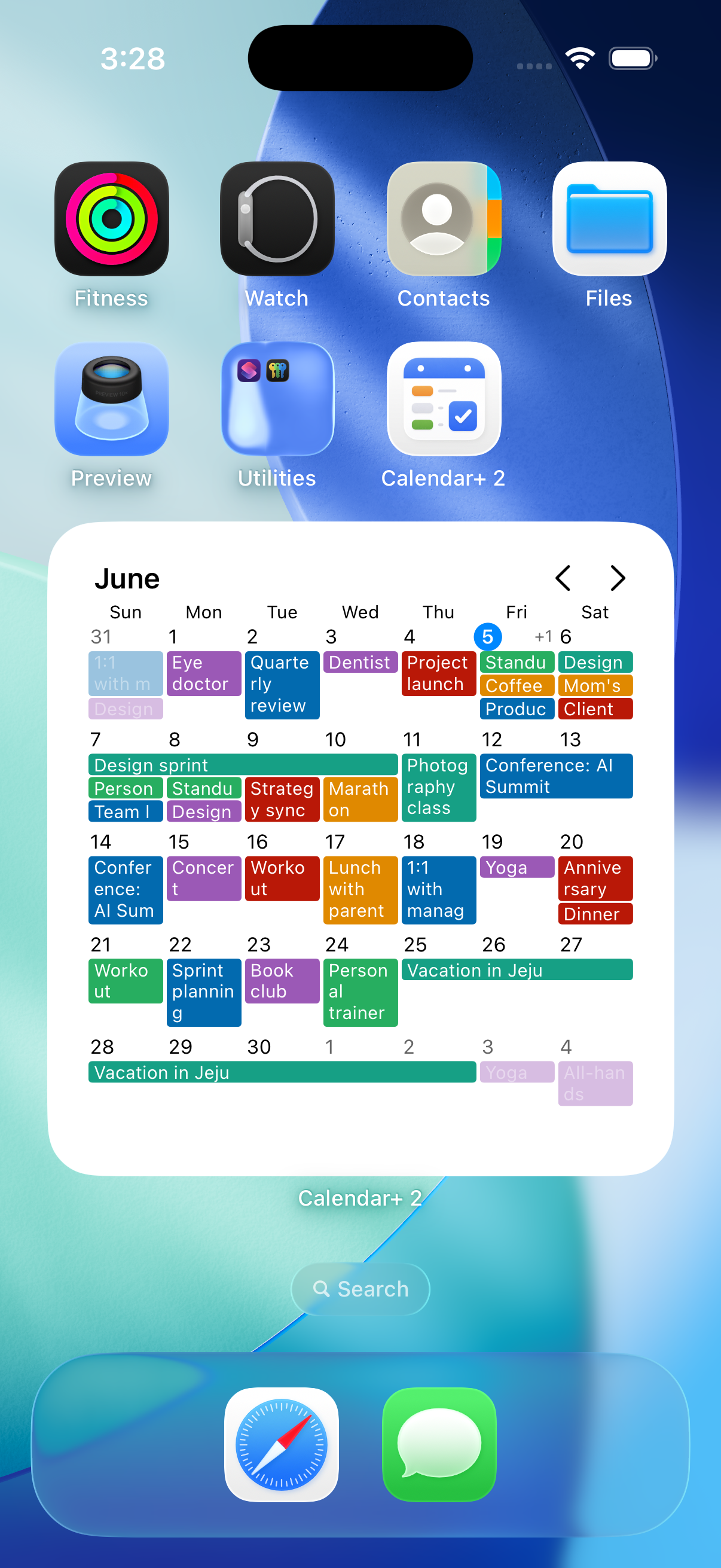
Home Widgets

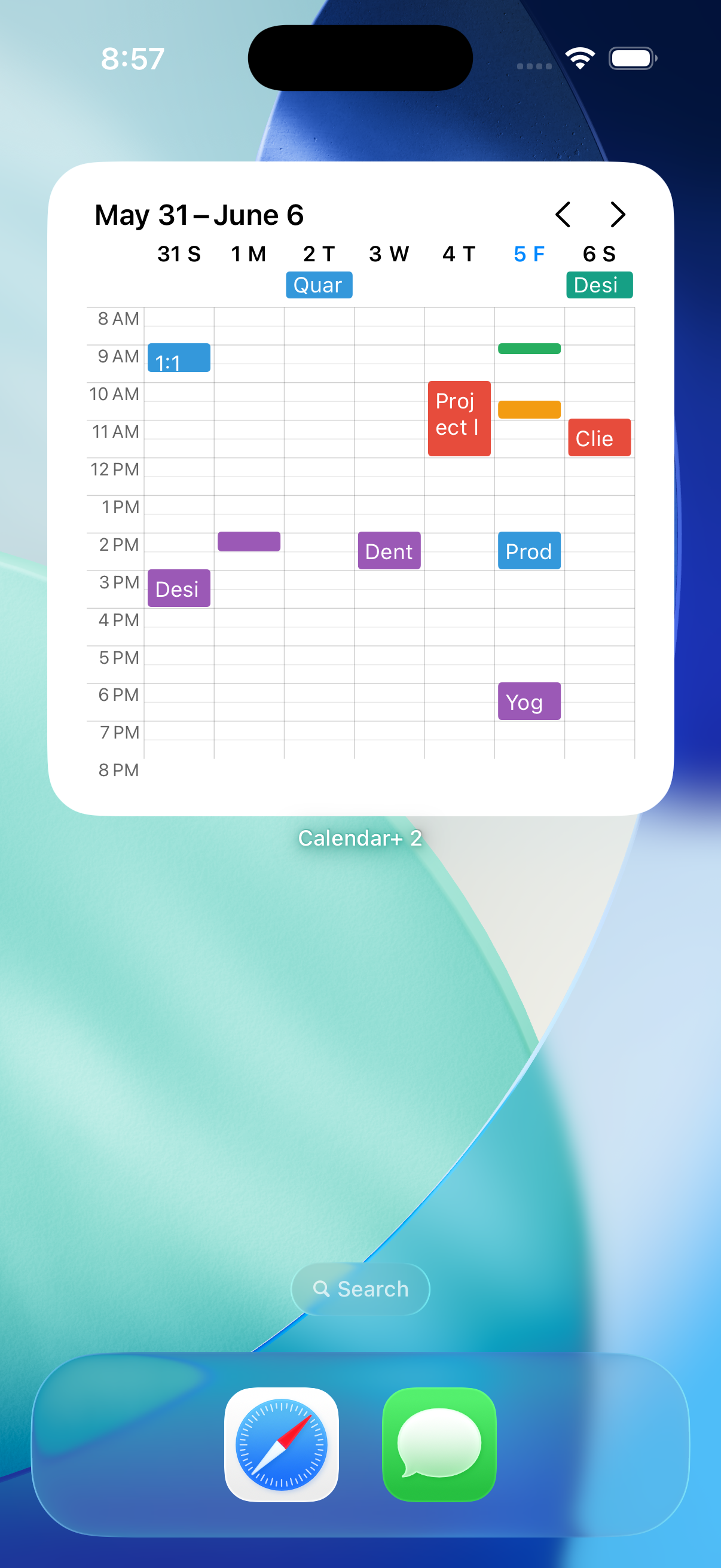
Month and week widgets for your home screen. Customize colors, weekends, week numbers, and line height to match your style.

🖉

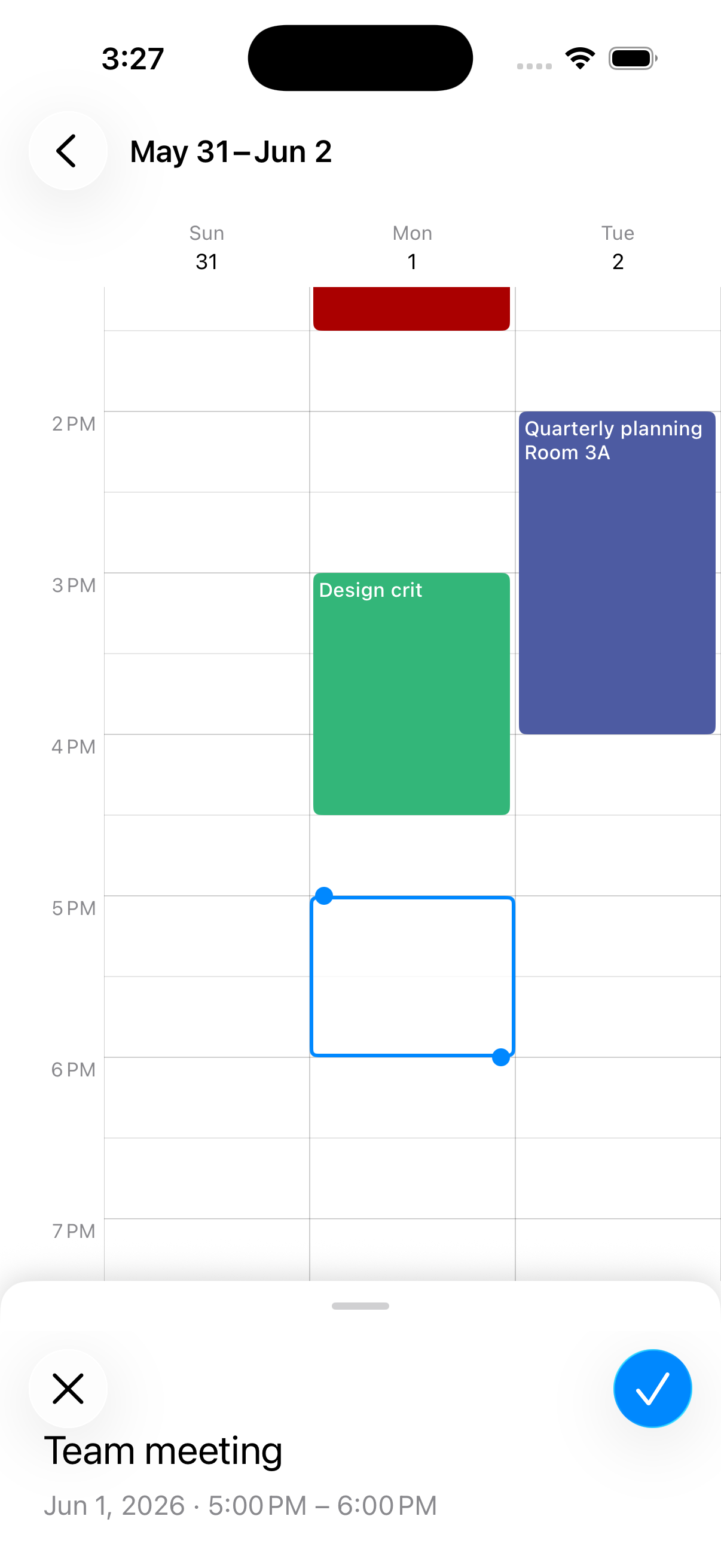
Powerful Editing

Drag and drop events to reschedule. Three-stage edit sheet — peek, preview, or expand to the full editor. Tap an empty slot to create instantly.

🔔

Smart Reminders

Custom alerts for timed and all-day events. Snooze in 5, 10, 15, 30, or 60 minutes. Quick responses for event invites.

🗿

Advanced Recurrence

Every Nth weekday, custom intervals, yearly anniversaries — handle complex schedules with a clear, visual recurrence builder.

🌐

Time Zone Aware

Set a home time zone that follows you across travel. Events display in the right zone, automatically. Full-text search across every event.

Words In.
Events Out.
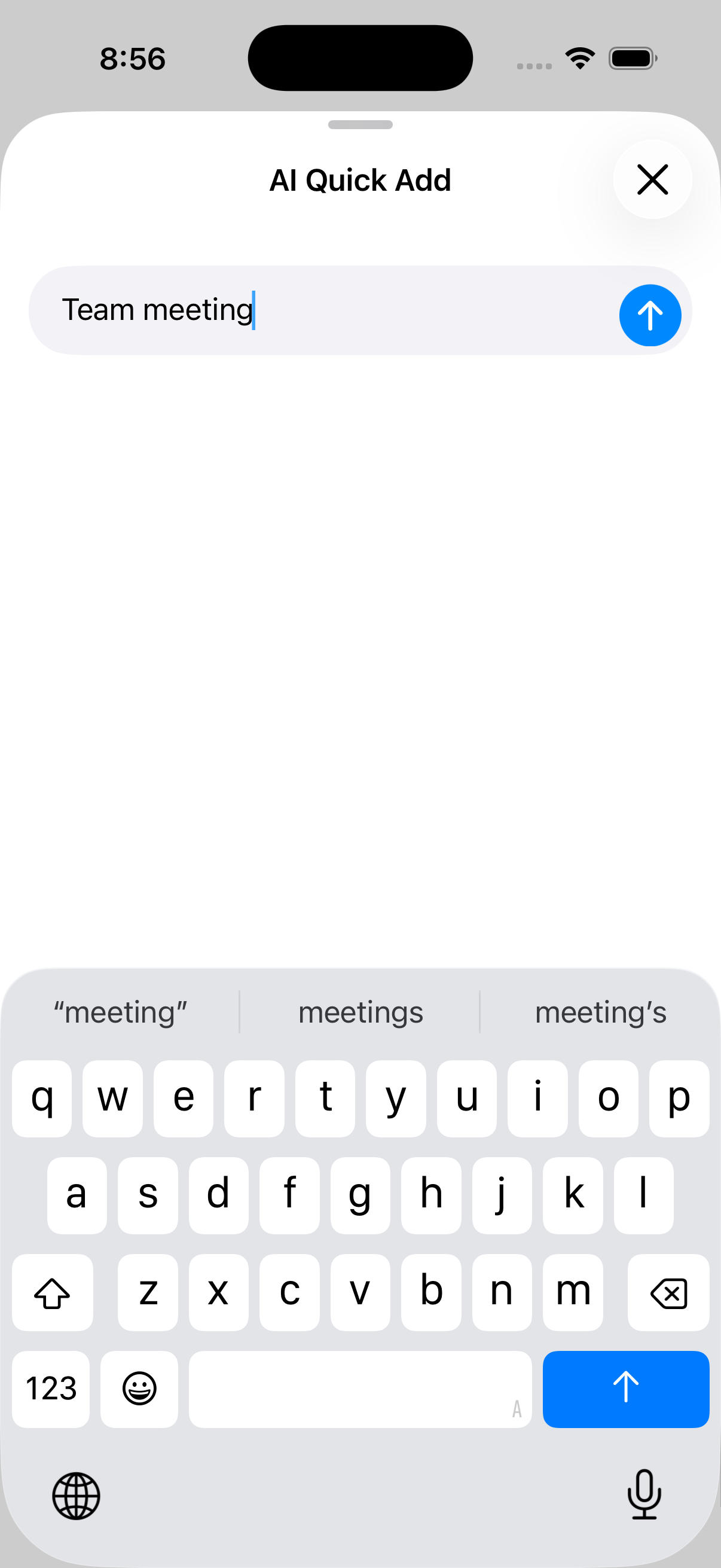
Skip the dropdown gymnastics. Type events the way you'd say them — Calendar+ 2 figures out the title, time, and even repeat rules. Works in 25 languages, on iOS and Android.
Friday 3pm team meeting
Parsed
TitleTeam meeting
TimeFri · 3:00 PM
RepeatOnce
Standup every Tuesday 9-9:30am
Parsed
TitleStandup
TimeTue · 9:00–9:30 AM
RepeatEvery Tuesday
Last Friday of the month, 2pm budget review
Parsed
TitleBudget review
TimeFri · 2:00 PM
RepeatMonthly, last Friday
🌐 25 languages 🔁 Recurring events parsed One-tap undo
Designed for Your
Daily Workflow
From monthly overviews to detailed agendas, Calendar+ 2 gives you multiple ways to view and manage your schedule.
📅
📧
☁️
📱
Calendar+ 2
All Your Calendars,
One Unified View
Calendar+ 2 reads from the calendar accounts already set up on your device — no extra sign-in, no re-importing, no separate server.
🌐

Google Calendar

Reads events from any Google account synced to your phone. Changes sync back through Google's own sync service.

📨

Outlook, Exchange & More

Any calendar account you've added in your system settings — work Outlook, Exchange, iCloud, or local — shows up automatically.

🔒

Privacy First

Your event data never leaves your device. Calendar+ 2 uses standard calendar permissions to read your existing events — nothing is uploaded.

Made for How You Plan
Calendar+ 2 adapts to the way you actually work — not the other way around.
For busy professionals: your calendar is the operating system of your day. Type “standup every Tuesday 9am” with AI Quick Add, drag events to reschedule, peek at any meeting with the three-stage edit sheet. Schedule in seconds, not minutes.
Busy Professionals
Fast capture, fast edit
📖
For organizers and planners: cut through the clutter with 13 view modes — including custom 2-7 day and 2-4 week layouts no other calendar offers. Set calendar and event priorities so the schedule that matters most surfaces at a glance.
📅
Power Users
Prioritized views at a glance
🎨
For anyone who craves a calendar that feels just so: wrap long event titles across lines, paint each event with its own custom color, toggle event start times on or off, and tint the calendar background. Make every view feel uniquely yours.
✏️
Customizers
Pixel-perfect personal touches

Start Planning Smarter Today

Download Calendar+ 2 for free on iOS and Android. Pro features available with a 7-day free trial.